SNAKE MINI DIZZY

Description
The world's smallest device designed to completely remove the OEM distributor and convert to Individual Coils.
Despite the age of Honda's "Distributor Era" engines (B, D, F and H series), they are still very popular in the tuning community. A significant drawback of these older engines is the distributor ignition system, which includes a high-voltage section and “temperamental” VR sensors.
Our Device eliminates these shortcomings, enhancing engine performance and reliability.
Advantages
- Improved ignition timing precision up to 0.1 deg at 14000 RPM.
- Better spark energy without the inefficiencies of a traditional distributor system.
- Easy Setup via Bluetooth Connection.
- Less cluttered engine compartment, making maintenance and modifications easier.
- Compatible with OEM and Standalone ECUs.
Initial Configuration
Set Engine Model

Install Device

STEP 1: Remove OEM Distributor
- Disconnect Connector(s) from the distributor
- Disconnect the plug wires from the cap
- Remove the distributor mounting bolts
- Remove distributor from cylinder head.

STEP 2: Remove following parts from the Distributor
- Thrust washer
- Coupling
- Pin
- Pin retainer

STEP 3: Install Coupling to Device
- Install Coupling to the shaft.
- Align the index mark of shaft and coupling.
- Drive in the pin
- Secure it with the pin retainer

STEP 4: Install Device to cylinder head
- Coat O-Ring with engine oil.
- Align offset of the lugs on the end of Device and its mating grooves in the Camshaft.
- Slip Device into position.
- Install and tighten one mounting bolt.
- Install Coils and Wiring.
- Connect Connector(s) to Device.
OEM ECU
ECU Modification (Required!)
Most Popular ECU Guides
- Chipped OBD1: Denshigiken M66207 ECU Guide
- Chipped OBD1: OKI M66207 ECU Guide
Search Guide by Car Model
90-93 Honda Accord 4.
- 90-93 Models: Denshigiken M66911 ECU Guide
93-97 Honda Accord 5. USA Spec.
- 93-95 Models: Denshigiken M66911 ECU Guide
- 96-97 Models: Denshigiken M66509 ECU Guide
93-97 Honda Accord 5. EUR Spec.
- 93-97 Models: Denshigiken M66911 ECU Guide
98-02 Honda Accord 6. USA Spec.
- 98-02 Models: Keihin M66589 ECU Guide
98-02 Honda Accord 6. EURO Spec.
- 98-02 Models: OKI M66589 ECU Guide (Regular O2)
- 98-02 Models: OKI SH7000 ECU Guide (Semi Wideband O2)
92-95 Honda Civic 5
- 92-95 Models: Denshigiken M66207 ECU Guide
94-01 Honda Civic 5.5. UK Spec.
- 94-97 Models: OKI M66207 ECU Guide
- 97-01 Models: OKI M66507 ECU Guide
96-00 Honda Civic 6.
- 96-98 Models: Denshigiken M66507 ECU Guide
- 99-00 Models: Keihin M66589 ECU Guide
95-01 Honda CR-V 1.
- 95 Models: Denshigiken D78334 ECU Guide
- 96-98 Models: Denshigiken M66507 ECU Guide
- 99-01 Models: Keihin M66589 ECU Guide
92-98 Honda CR-X DelSol.
- 92-95 Models: Denshigiken M66207 ECU Guide
- 96-98 Models: Denshigiken M66507 ECU Guide
92-97 Honda Domani.
- 92-97 Models: Denshigiken M66207 ECU Guide
89-93 Honda Integra 2.
- 89-91 Models: OBD0 ECUs not supported
- 92-93 Models: Denshigiken M66207 ECU Guide
93-01 Honda Integra 3.
- 93-95 Models: Denshigiken M66207 ECU Guide
- 96-99 Models: Denshigiken M66507 ECU Guide
- 00-01 Models: Keihin M66589 ECU Guide
92-96 Honda Prelude 4.
- 92-96 Models: Denshigiken M66911 ECU Guide
96-01 Honda Prelude 5.
- 96-01 Models: Denshigiken M66509 ECU Guide
95-99 Rover 400 Series. (D16 Engine)
- 95-97 Models: OKI M66207 ECU Guide
- 97-99 Models: OKI M66507 ECU Guide
99-05 Rover 45 Series (D16 Engine)
- 99-05 Models: OKI M66507 ECU Guide
Search Guide by ECU Hardware
OBD1 ECU Families
- Denshigiken M66207 ECU Guide
- OKI M66207 ECU Guide
- OKI M66507 ECU Guide
- Denshigiken M66911 ECU Guide
- Denshigiken D78334 ECU Guide
OBD2A ECU Families
- Denshigiken M66507 ECU Guide
- Denshigiken M66509 ECU Guide
OBD2B ECU Families
- Keihin M66589 ECU Guide
- OKI M66589 ECU Guide
- OKI SH7000 ECU Guide
Connector Functions

Here are the two Connectors on the SNAKE MINI DIZZY device.
- 6-pin Male Plug. Connect to the Engine Loom via Distributor Adapter.
- 6-pin Female Plug. Connect to the SNAKE MINI DIZZY's Coil Harness.
Distributor Adapters
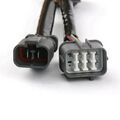
OBD1 Type Plug
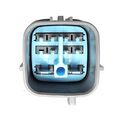
OBD2A Type Plug
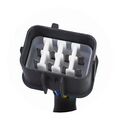
OBD2B Type Plug


Config Output Mode

- Connect via Bluetooth (see Bluetooth Connection).
- Go to the Mode tab.
- Select OEM ECU and click Apply
Standalone ECU
Connector Functions
Here are the two Connectors on the SNAKE MINI DIZZY device.
- 6-pin Male Plug. NOT USED!
- 6-pin Female Plug. Connect to the Engine Loom via Universal Pigtail Connector.
Pigtail Connector

- Wthie: +12V Power
- Red: Cylinder Position Output.
- Yellow: Crankshaft Position Output.
Set Output Mode

- Connect via Bluetooth (see Bluetooth Connection).
- Go to the Mode tab.
- Select Standalone and click Apply
Config ECU Inputs
In Standalone Mode Device outputs positive square-wave pulses, like a typical Hall-effect sensor.
ECU inputs must be configured as follows:
- ECU input: Must be Pulled Down.
- Signal Type: Hall Sensor.
- Signal Edge: Rising.
Trigger Waveform

Service Tool
Bluetooth Connection

Pairing a New Device
When you connect to the device for the first time, the connection must be configured. Follow these steps:
- Turn ON the Ignition.
- Make sure Bluetooth is enabled on your PC.
- Launch Service Tool
- In the Device field you will see Name NONE and status Searching....
- Wait 10–20 seconds — the Service Tool will automatically find the device and set up the connection.
- When pairing is complete, you will see the device Name MD0-XXXXX and status Online.

Reconnect (After First Pairing)
After the first successful connection, the Service Tool will automatically reconnect to the paired device.
- In the Device field you will see Name MD0-XXXXX and status Connecting....
- After a successful reconnect, the status will change to Online.
Firmware Update

- Go to the Firmware tab.
- Click Check.
- If an update is available, click Update.